do you have IT issues we can help with?
What Is Virualization
Simply put, virtualization is a method of running multiple machines using a single physical server.
In practical terms, imagine you have 3 physical servers each running an application; 1 mail server, 1 file server and 1 application server. Each server is only using about 25% of its capacity, but your paying for the whole server to run and hard drives to spin when being unused
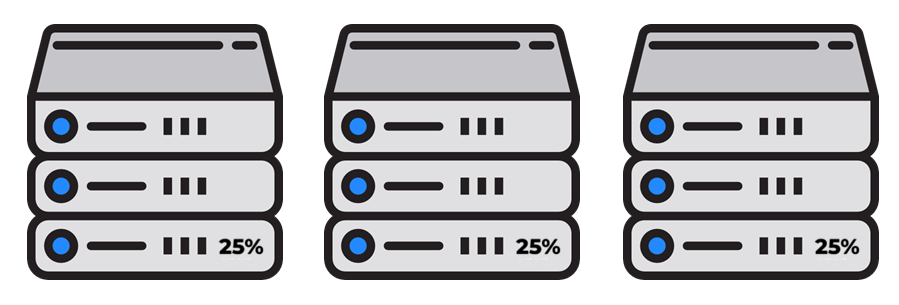
Virtualization allows you to put all 3 servers onto 1 physical server and run them with the same amount of resource needed, without paying for that wasted electricity, disk space, memory and cpu on 3 physical servers
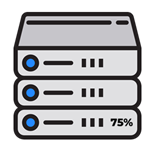
Because each VM can run its own operating system and applications, virtualization reduces the need for additional server infrastructure and provides a cost-effective way to deliver different types of services
benefits of Virtualization
One of the most immediately recognized benefits of virtualization is a reduction in operating costs.
Having one server capable of hosting multiple servers or one desktop with the capability to run several different desktop instances means less up-front purchasing costs.
However, the cost savings aren’t limited to hardware. Less hardware on your network means less power consumption and less cooling costs. These equate into savings. Yet cost savings are not the only benefit you will see from virtualization. Other benefits include:
Certified Staff in Hyper-V and VMWare, With Years of Experience, To Set Your Business Up With The Correct Solution
What can you virtualize
Virtualization allows for the creation of software-based, or “virtual,” representations of physical IT resources, enabling multiple operating systems, applications, and network components to run on a single physical machine. Common elements that can be virtualized include some of the below which improve efficiency and resource utilization
Servers
Storage
Physical storage from multiple network devices is pooled into a single, manageable storage unit or “virtual storage”
Desktops
Virtual Desktop Infrastructure (VDI) hosts desktop operating systems on a central server, allowing users to access them remotely
Apps
Software applications are abstracted from the underlying operating system, allowing them to run in isolated environments or on different platforms
Networks
Network resources like switches, routers, and firewalls are abstracted into software, allowing for virtualized, manageable networks